Wishlists and products
Edit, move, mark, or remove products
Keep product details accurate and move items between your own wishlists.
Use the product options menu
Open the three-dot product menu to find the actions available for that product. Owners and collaborators may see different actions from guests.
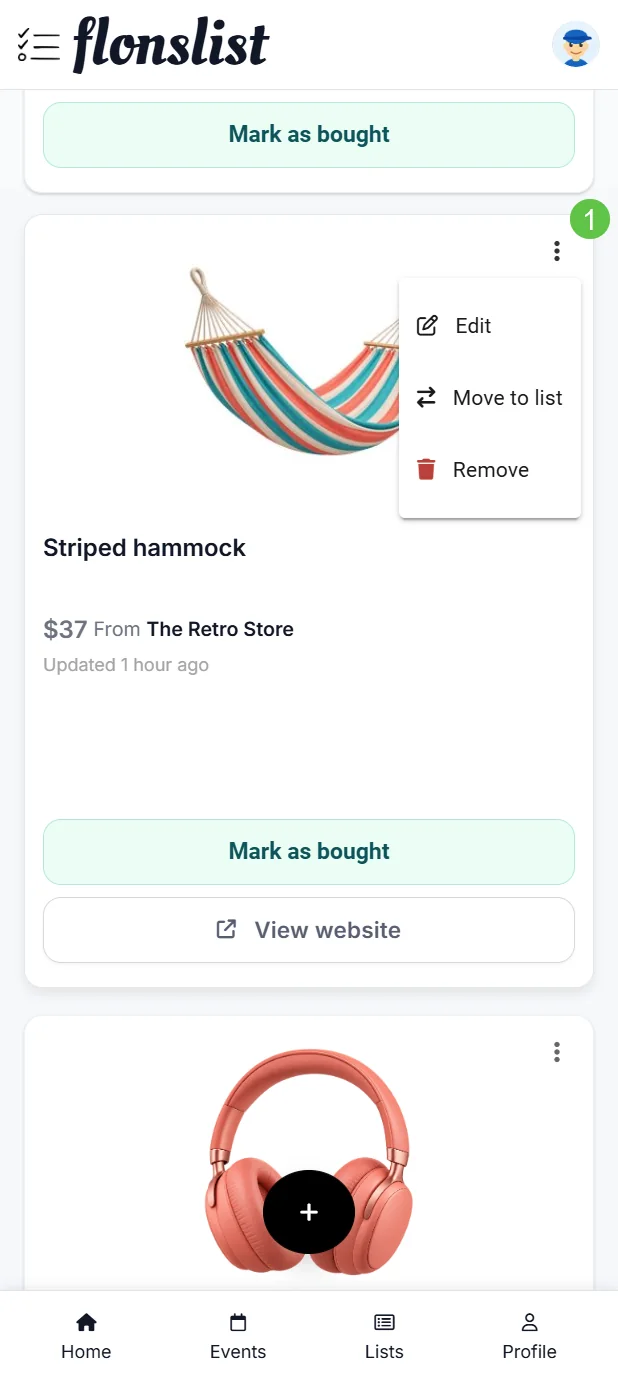
Choose the right action
- Edit product updates its title, price, store, notes, quantity, or image.
- Move to another list transfers the product to another wishlist you can edit.
- Mark as bought updates your personal purchase status.
- Remove product deletes it from the wishlist after confirmation.
- Open the product or View website to visit the original retailer page.
Products linked to events
Claims and reservations made for an event are tracked separately from a list owner's personal bought status. Read the context message above the wishlist before changing purchase state.