Wishlists and products
How to create a wishlist
Start a new list from the add menu or create one while choosing where to save a product.
Create a wishlist from the add menu
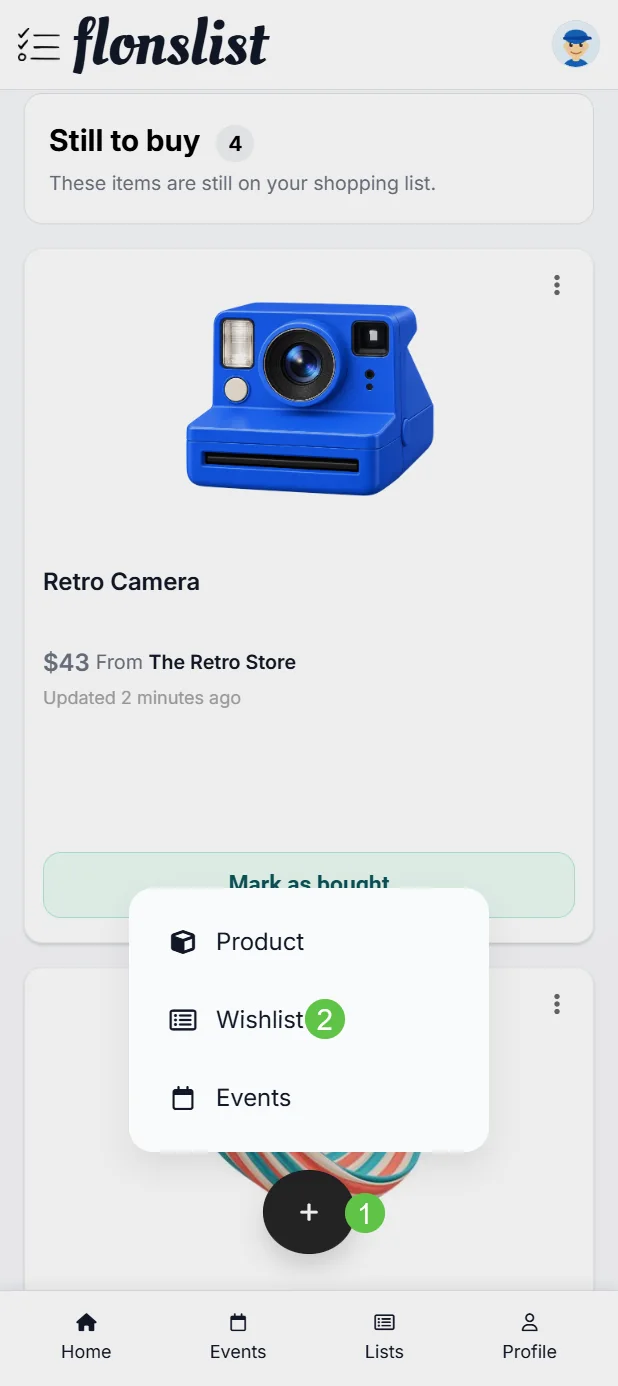
Open the add menu
Select the floating + button. On larger screens, use the corresponding add action in the application navigation.
Choose New List
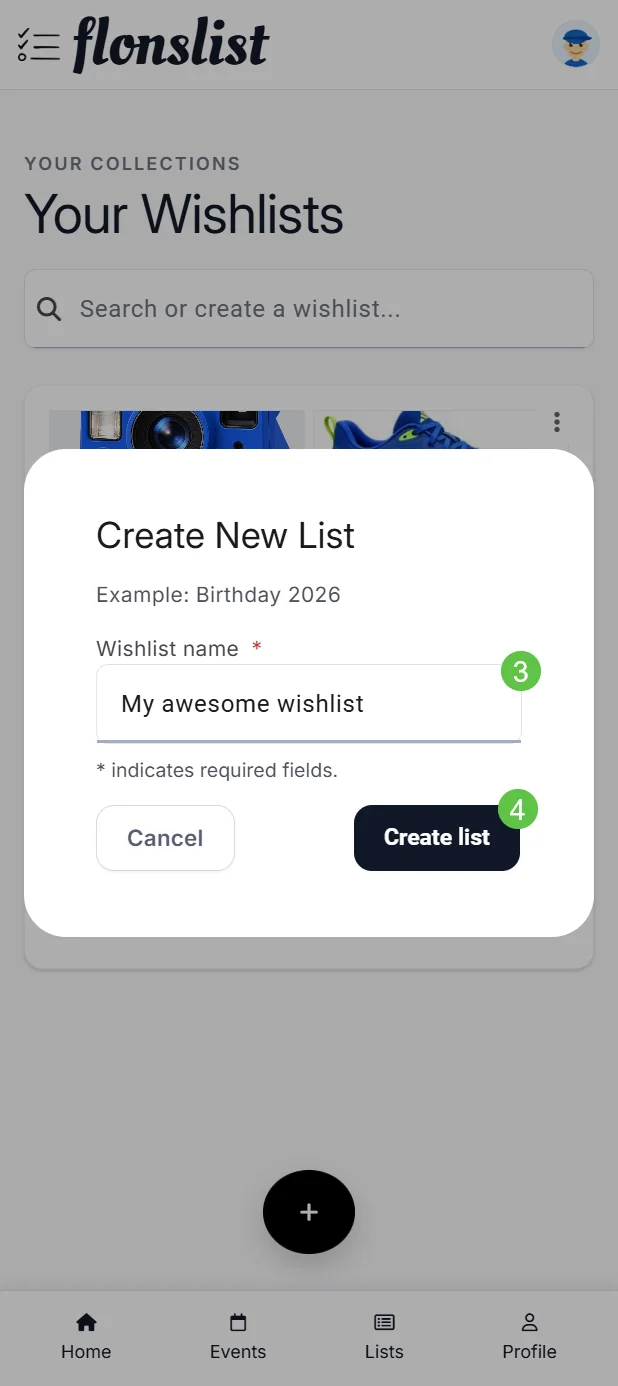
The Create New List dialog opens.
Name the list
Enter a clear occasion or purpose, such as Birthday 2026.
Select Create list
The new wishlist becomes available in Your Wishlists.
Create one from the wishlist picker
Wherever the wishlist picker appears, use Search or create a wishlist. Enter a new name and choose the create option instead of leaving the flow.
What to do next
- Open the wishlist to add its first product.
- Rename a list from its list options.
- Create separate lists for different occasions or recipients.